
A clear, honest listing helps potential renters picture using your camper. To learn how to list a camper for rent in Millersburg, describe its sleeping space, layout, features, and what’s included, then add bright photos of a tidy interior and exterior. Be specific and upfront about how the camper works.
Renters need more than attractive photos to decide whether a camper fits their trip and group. Give them practical details, such as the sleeping setup, storage, and included equipment, so they can judge whether it suits their plans. Accurate information makes your listing useful without overselling your RV.
Use these steps to describe your camper, highlight details renters care about, and prepare it for photos. Thoughtful staging and straightforward information can make your listing easier to understand for people planning a stay around Millersburg.
Key Takeaways
- Describe your camper’s layout, sleeping space, features, and included items so renters can judge whether it fits their trip.
- Stage the RV in clean, tidy condition and use clear photos to show its interior and exterior.
- Look at how a rental platform structures its charges so you can understand how fees affect your earnings.
- Consider insurance, permits, and local rules as part of preparing your camper for rent in Millersburg.
Writing an appealing camper listing
Start with a clear description, then submit complete information through Troyer’s RV Rental’s List Your RV option. Accurate details help Millersburg-area renters understand the camper before planning a trip.
Draft the Camper Listing
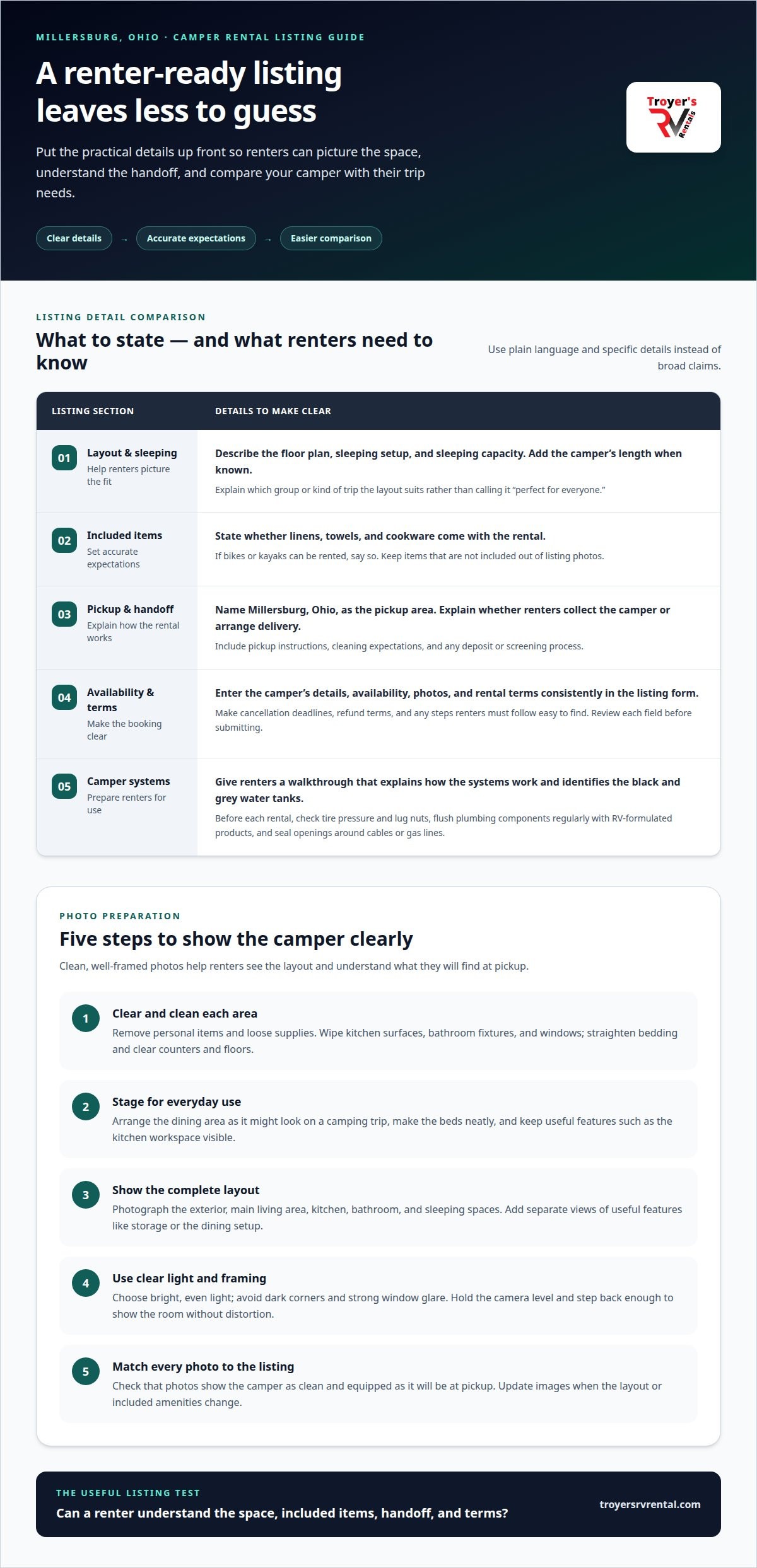
Describe the floor plan, sleeping capacity, and features in plain language. State whether linens, towels, and cookware are included, and whether renters can rent bikes or kayaks. Add the camper’s length and sleeping capacity when known. Instead of broad claims such as “perfect for everyone,” explain which group or trip the layout suits.
Complete the Online RV Listing Process
Enter the camper’s details, availability, photos, and rental terms in the platform’s listing form. Review every field before submitting, especially included items, pickup arrangements, and cancellation terms. The platform may review a submission before approval, and review timing varies. Complete, consistent information gives reviewers fewer gaps to resolve and helps prevent avoidable edits.
- Make the local fit clear. Mention Millersburg, Ohio, as the pickup area and describe the camper’s practical features. Local travel trailer listings are easier to compare when capacity, layout, and included supplies are stated clearly.
- Set out handoff details. Explain whether renters collect the camper or arrange delivery, and describe cleaning expectations. State any deposit and screening process in the listing, including how renter experience is assessed. Give clear pickup instructions so both sides know what to expect.
- Prepare the camper before each rental. Check tire pressure and lug nuts, flush plumbing components regularly with products formulated for RVs, and seal wall or floor openings around cables or gas lines. Give renters a walkthrough that explains how systems work and identifies the black and grey water tanks.
- Make cancellation terms easy to find. Explain the platform’s cancellation policy and what happens if either party cancels. Rental plans can change, so spell out deadlines, refund terms, and any steps renters must follow instead of relying on vague wording.
Staging and photographing an RV
Get the camper clean and tidy before taking photos. A well-arranged space helps Millersburg renters see the layout and features clearly.
- Clear and clean each area. Remove personal items, loose supplies, and anything that crowds counters or floors. Wipe kitchen surfaces, bathroom fixtures, and windows, then straighten the bedding. A clean entry and uncluttered table make the first impression more welcoming.
- Stage the camper for everyday use. Arrange the dining area as it might look on a camping trip, and make the beds neatly. Keep useful features visible, such as the kitchen workspace or seating area. Put away anything that doesn’t come with the rental, so the photos set accurate expectations.
- Show the full layout. Photograph the exterior, main living area, kitchen, bathroom, and sleeping spaces. Take separate photos of features renters may want to understand, such as storage or the dining setup. Use open doors and clear sightlines to show how the areas connect.
- Choose clear lighting and framing. Take photos in bright, even light, avoiding dark corners and strong glare on windows. Hold the camera level and step back enough to show the room without distorting it. Consistent framing helps renters compare the camper’s spaces at a glance.
- Match every photo to the listing. Make sure the camper looks as clean and equipped in the pictures as it will at pickup. Include useful views in your online listing, and consider adding photos or videos to an operating manual to explain how systems work. Update images whenever the layout or included amenities change.
Before taking listing photos, tidy and stage the camper. Check each frame for stray belongings, uneven bedding, or surfaces that draw attention away from the space. Keep camera position and lighting consistent as you move through the camper, then review the images for hidden features or confusing angles. Choose views that clearly show the layout and match what renters will find at pickup.
What fees and commissions do camper rental platforms charge owners?
Platform costs vary by service and booking terms. Compare the full deduction, not just a headline commission, before choosing where to list your camper.
- Understand how the listing arrangement works. Clarify whether the platform manages bookings or simply displays your camper to potential renters. Find out what responsibilities stay with you, such as preparing the camper and coordinating pickup. Knowing who handles each step helps you assess whether the arrangement suits you.
- Clarify how rental details are set. Check how the rental amount, availability, delivery, and included items are represented in your listing. Clear information helps renters understand the offer and gives you a consistent basis for managing bookings.
- Plan for the work involved before publishing. Consider the time needed to prepare the camper, keep its availability current, and communicate pickup and return details. Make a simple checklist of the steps you’ll handle for each booking so you can decide whether the commitment fits your plans.
- Review payment and booking terms. Understand when and how payments are handled, how refunds work, and whether any transaction deductions apply. These details affect what you receive after a booking. Keep a copy of the terms that apply when you submit your listing.
- Read cancellation and change policies together. Check how cancellations affect payments, refunds, and any platform charges. Compare those terms with your own rental policy. Clear wording helps avoid surprises if a renter changes plans or a booking ends early.
- Recheck the terms when your listing changes. Review the current terms before accepting bookings, especially if you change your rental plans or the services included. Consider how each option handles the same booking details, and choose based on what you expect to need rather than a single appealing feature.
What insurance, permits, and local rules apply to renting out a camper in Millersburg, Ohio?
- Review your insurance policy for rental use. Read the policy and ask your insurer how paid rentals affect coverage. A personal-use policy may treat rentals differently from family travel. Discuss liability, physical damage, theft, and who is covered while driving or towing. Get the response in writing so your listing terms reflect your actual coverage.
- Map the rules by location and activity. For a camper based in Millersburg, Ohio, separate state, county, and municipal questions. Identify where the camper is stored, where renters collect it, and whether you deliver it. Those details can affect which local requirements apply. Don’t assume a rule for a campground or business applies to every private rental.
- Determine whether permits or registrations apply. Describe your rental activity accurately when reviewing local requirements. Occasional rentals, frequent bookings, and a business operation may be treated differently. Note whether you advertise publicly, store the camper at home, or have renters arrive at your property. These details help clarify which registration, zoning, or operating questions apply.
- Clarify tax responsibilities before setting terms. Keep rental, delivery, and cleaning charges distinct in your records. Determine how Ohio and local tax rules treat each charge and who must collect or report it. Keep booking records, payment statements, and cancellation details together to make it easier to explain your activity and calculate what you owe.
- Put coverage and operating limits in writing. State who may drive, where the camper can travel, and what happens after damage or a breakdown. Align those terms with your insurance response and rental agreement. Before accepting a booking, make sure the renter understands pickup, return, and incident-reporting steps. Clear terms reduce confusion if plans change.
For a different way to plan a local trip, explore camper rental options.
Troyer’s RV Rental: Camper Rentals
Troyer’s RV Rental offers a List Your RV option for owners who want to connect their camper with potential renters. If you’ve prepared your listing and want to explore a rental arrangement, this is a practical next step. Troyer’s also offers motorhome rentals and fishing boat rentals for other kinds of outdoor trips.
Choose the option that fits your plans: list your RV for rent or rent a camper for a trip. Clear photos and accurate details are essential either way, because renters need to understand the space and included amenities before booking.
For help taking the next step, contact Troyer’s RV Rental.
Take the Next Step Toward Your Rental Plans
Renting out your camper can make it part of someone else’s travel plans. Before moving ahead, decide whether you’re interested in occasional rentals, regular bookings, or simply exploring the process. Your preferred level of involvement can guide your next steps and help keep your plans manageable.
If you’re still considering how to list a camper for rent in Millersburg, use what you’ve learned to choose a practical next step. Troyer’s RV Rental offers a List Your RV option, along with camper rentals, motorhome rentals, and fishing boat rentals. Visit the site to explore listing your camper or plan an outdoor trip.
Contact Troyer’s RV Rental to talk about your plans. A little preparation can help you move forward with confidence.
Frequently Asked Questions
How do I list my RV?
Use the List Your RV option to start sharing your camper with potential renters. If you’re learning how to list a camper for rent in Millersburg, prepare a concise description of its type, layout, and availability. Explain whether it suits a family getaway or a smaller camping trip. Keep the details accurate so renters know what you’re offering.
Where can I list a camper for rent in Millersburg, Ohio?
Troyer’s RV Rental lets owners list an RV through its site. If you’re deciding how to list a camper for rent in Millersburg, this local option can connect your listing with renters planning trips in the area. Start with the List Your RV option and prepare clear details about your camper and rental plans.
What information, photos, and features should a camper rental listing include?
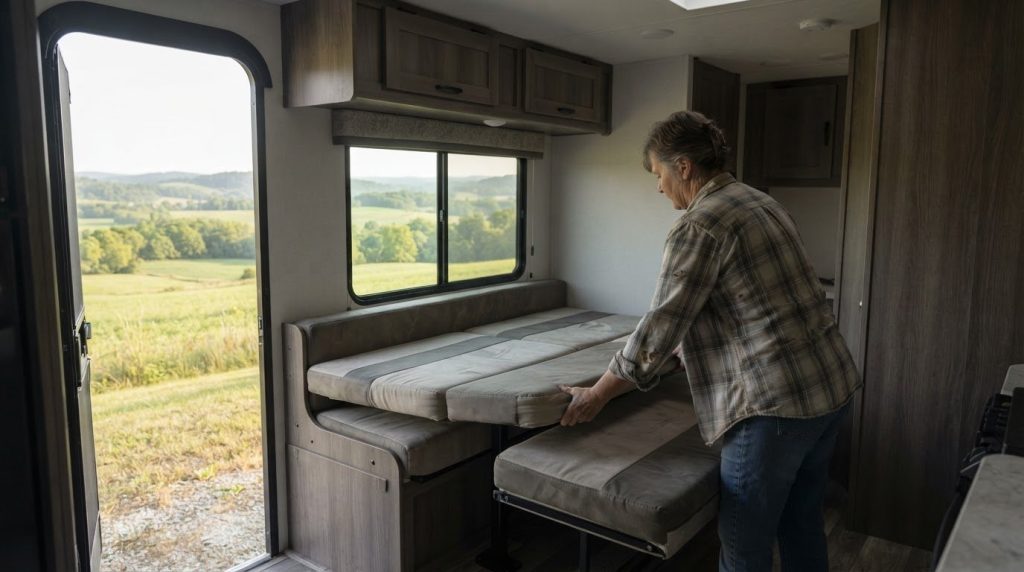
Include the camper’s layout, sleeping capacity, amenities, and anything renters should bring themselves. Make sure the photos show its current condition and setup. For example, if the dining space converts into a bed, show that arrangement and explain it in the description. Clear details help renters picture how the camper will work for their group and trip.