
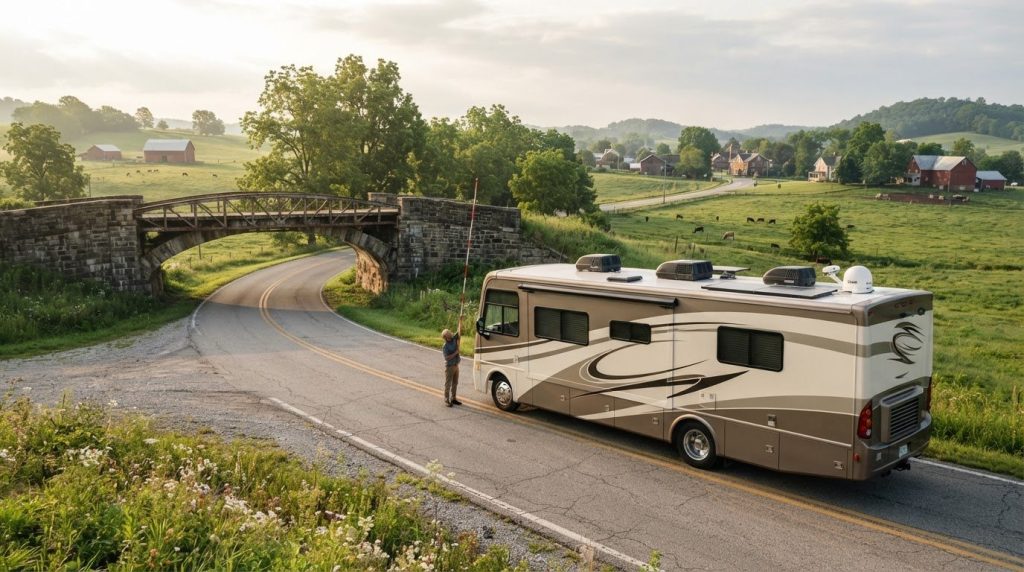
A GPS can guide you toward a low bridge if it doesn’t know how tall your RV is. That’s why planning an RV route with height clearances starts with your rig’s true travel height, including rooftop equipment, not a generic estimate or the default settings in a car navigation app.
It’s reasonable to want one reliable route and avoid a stressful last-minute detour. But clearance information can be incomplete, and posted signs may differ from what a planning tool shows. Use navigation as a helpful guide, not your only check.
In this guide, you’ll learn how to measure and record your RV’s height, compare route-planning tools, and review your trip before departure. You’ll also see how to check road-authority information and prepare an alternate route in case a restriction changes your plans. If you’re renting, use the dimensions for the specific motorhome or camper you’ll travel in. With a few checks before you leave, you can set out with a clearer plan and more confidence.
Key Takeaways
- Measure your RV in its travel-ready configuration, including rooftop equipment, instead of relying on a brochure estimate.
- Enter the correct dimensions in your navigation profile, then treat its route as a planning aid rather than a final clearance guarantee.
- When planning an RV route with height clearances, compare RV-aware navigation with road-authority information and other route references.
- Scan the full route and destination access for low bridges, tunnels, restricted roads, and uncertain approaches before setting out.
- If you’re renting, base your route on the specific RV’s documented dimensions, not a generic motorhome or camper estimate.
Why planning an RV route with height clearances starts with your actual rig
A route that works for a car may not work for a motorhome or camper. Clearance is the vertical space available beneath a bridge, tunnel, or other overhead obstruction. If your RV is taller than that space, the road may be unsafe or impassable. That’s why planning an RV route with height clearances begins with the vehicle you’ll actually take, not a broad estimate for its model or category.
A brochure figure can be a useful reference, but it may not reflect the RV’s current setup. Rooftop equipment, added storage, or a different towing arrangement can change the height that matters on the road. For custom builds or converted vans—such as those supplied by specialist converters like Route 300 Campers—features like pop-top roofs or solar panels will also influence final clearance. Even a small measurement difference could affect whether a particular restriction is suitable, so don’t guess or rely on memory.
Your RV’s total travel height is its highest point from the ground in road-ready configuration, including fixed rooftop equipment and, for a trailer, its intended tow vehicle and hitch setup.
What counts as your RV’s total travel height?
Look beyond the roof itself. Include fixed items such as air conditioners, antennas, and storage accessories. For a trailer, consider its travel setup with the tow vehicle and hitch you’ll use. Record the final measurement in feet and inches, along with the date you measured it. If equipment changes later, update the record before using it to plan another route.
Measure only in a safe way. Don’t climb onto the roof or use an improvised method that could cause a fall or give you a misleading result. Use reliable documentation as a starting point, and arrange a safe way to verify the actual height if you can’t do so from the ground. A written, dated figure is easier to enter consistently in navigation tools and revisit when plans change.
Why a small measurement error can change your route
A low bridge, tunnel, or signed restriction can make a road unsuitable for your RV. A route app’s clearance estimate may help flag a concern, but its information can be incomplete or differ from posted conditions. Treat neither an estimate nor an old measurement as a reason to dismiss a visible restriction. If signs and official road information conflict with an app suggestion, follow the signs and official guidance rather than assuming the app is right.
Bridge strikes can cause serious damage and disruption. The general overview of Bridge strike explains the issue, but your practical safeguard is to check your vehicle’s height and pay attention to the road ahead. If an approach looks uncertain or a posted clearance is too low for your recorded height, don’t proceed to see whether you’ll fit. Stop where it’s safe and reassess the route before reaching the obstruction.
How to verify RV height and enter it into route-planning tools
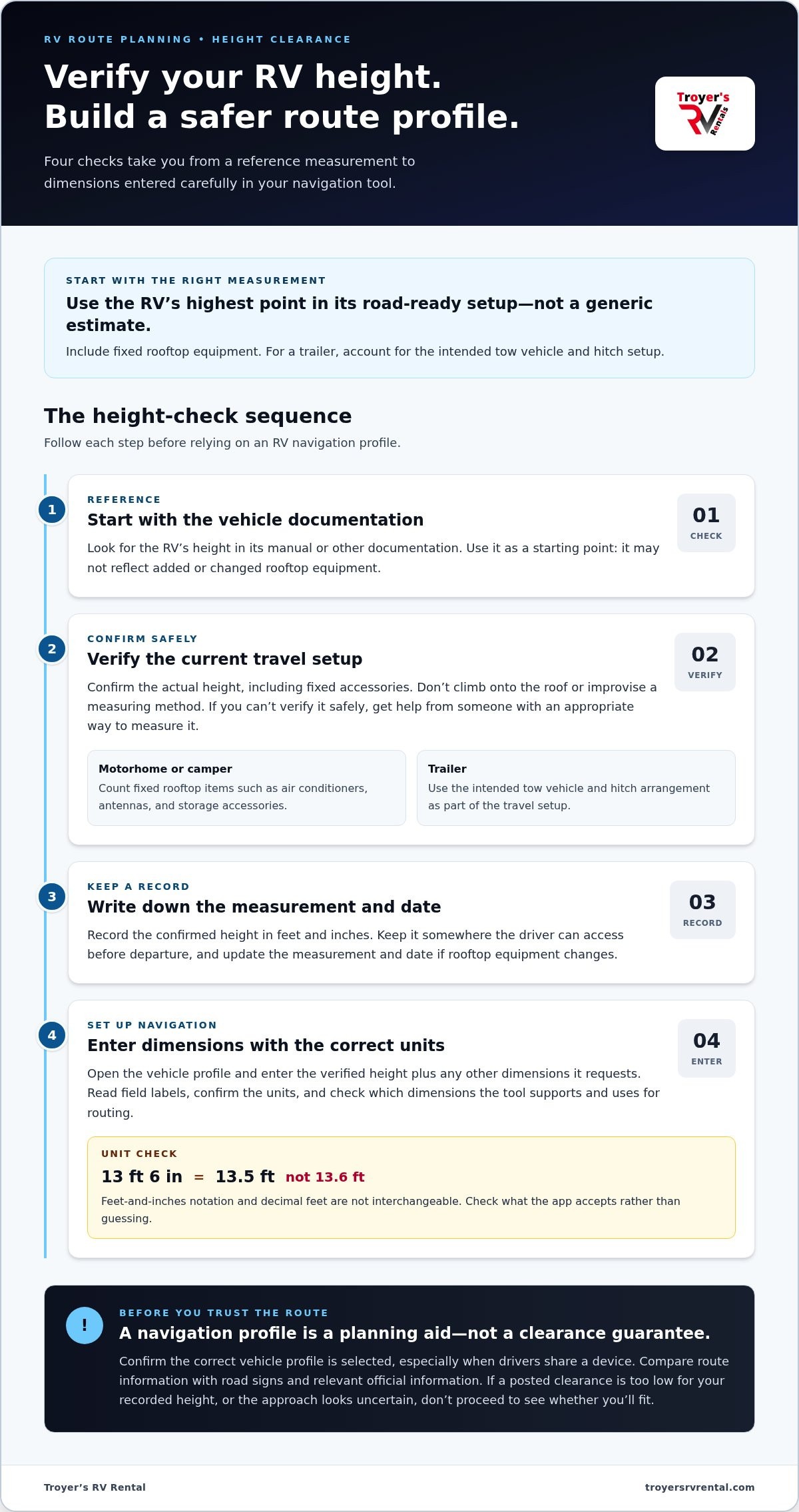
A navigation profile can only help if it describes the RV you’re driving now. Use this sequence to move from a reference figure to a checked measurement, then enter that information in your route-planning tool. If you’re renting, use the dimensions for the specific RV assigned to your trip, not a general estimate for its type.
- Start with the documentation. Look for the vehicle’s height in its manual or other documentation. Treat that figure as a starting point, since it may not reflect added or changed rooftop equipment.
- Arrange a safe confirmation. Confirm the RV’s height in its current travel setup, including fixed accessories. Don’t climb onto the roof or improvise a measuring method that could put you at risk or produce an unreliable result. If you can’t verify it safely, get help from someone with an appropriate way to measure it.
- Record the result. Write the height in feet and inches, and note when you measured it. Keep the record where the driver can find it before departure. Recheck after adding or changing rooftop accessories, and update the date and measurement.
- Enter the dimensions carefully. Open the tool’s vehicle profile and fill in the verified height, plus any other dimensions it requests. Check which units the fields use before saving.
How to measure and record the RV’s travel height
Use documentation to guide your check, not as a substitute for the current setup. Include fixed rooftop equipment and, for a trailer, the intended tow vehicle and hitch arrangement. Save the confirmed result with trip notes or somewhere else the driver can access easily. A dated record makes it simpler to spot when a new measurement is needed.
How to build a more accurate RV navigation profile
Read the field labels closely. Decimal feet and feet-and-inches notation aren’t interchangeable: 13 feet 6 inches is 13.5 feet, not 13.6 feet. Check what units the app accepts rather than guessing how it will interpret an entry. Also review which vehicle dimensions the tool supports and whether its routing uses those fields. Before each trip, confirm the right profile is selected, especially if other drivers share the device.
A route app can help flag restrictions, but it can’t guarantee that every clearance or road limit is captured correctly. Use its results as one planning reference, then compare them with road signs and relevant official information as you review the route.
If you’d rather not drive the RV yourself, motorhome and camper rentals from Troyer’s RV Rental can help make that possible. Whatever you choose, accurate dimensions are the starting point for setting up a useful navigation profile.
Which RV route-planning tools help check height restrictions?
Different tools answer different questions. An RV-aware navigation app may use a vehicle profile to shape a route, while a general map app is often better for broad directions and traffic. An atlas can help you see the overall road network, and road-authority information can clarify a specific restriction. When planning an RV route with height clearances, use these sources together rather than expecting one map to settle every question.
What RV navigation apps and general maps can and cannot do
An RV navigation app can account for vehicle dimensions when it supports the relevant profile fields and uses them in routing. Features and restriction data vary, so check what each tool accepts and how it describes its routing. An app’s route is a useful starting point, not proof that every bridge, tunnel, or restricted road has been included.
General car navigation may not account for an RV’s height, length, or other dimensions. It can still help with broad directions or traffic, but don’t assume its suggested route suits a large vehicle. Street View can help you spot questions to investigate, such as a narrow approach or a posted warning. It can’t reliably establish a bridge’s clearance: the camera view isn’t a measurement, and imagery may not show current conditions.
When to consult an atlas or official road information
A road atlas or RV planning resource offers another way to review the route and understand how roads connect. Use it as a cross-check, not as a substitute for current restrictions. Printed information can be out of date, and a general map may not include every limit that matters to your particular vehicle.
If a tool flags a low clearance, gives conflicting information, or leaves you unsure about a road, investigate the location with a second source. Check current information from the authority responsible for that road. For an Ohio route, look to the Ohio Department of Transportation (ODOT) for relevant current road information, and verify details for the specific location and travel date. On roads managed by another authority, consult that responsible agency instead.
- RV-aware navigation: Use it to explore routes with the dimensions and restriction features it supports.
- General map apps: Use them for broad directions or traffic, not as RV-clearance confirmation.
- Atlases and planning resources: Use them to review the road network and compare options.
- Road-authority information: Use it to investigate current restrictions and specific route concerns.
If sources disagree, don’t treat the most convenient answer as the correct one. Pause route planning and resolve the uncertainty before departure. That extra check can help you choose a suitable alternative instead of discovering a problem at the approach.
How to review an RV route and prepare for a low-clearance warning
A route isn’t ready just because the navigation app draws a line to your destination. Review the full drive before departure, including the roads near the start and finish. A restriction can appear on a short local road or at a destination entrance, not just on a major highway. Planning an RV route with height clearances means looking for concerns early enough to choose a safe alternative without rushing.
Check destination access information, too. Look for directions intended for larger vehicles and any listed height limits, narrow approaches, or restricted roads. If those details are unclear, review the destination’s access guidance before setting out. A safe approach matters as much as the route to the area.
A pre-departure checklist for the planned route
Before leaving, review the route from beginning to end. Note where you’ll need another source of information and decide on an alternate road before you’re behind the wheel. Keep the planned route and backup easy to find, and make sure the driver knows where concerns are marked.
- Confirm the navigation profile matches the RV and its current travel configuration.
- Scan the whole route for bridges, tunnels, posted restrictions, and approaches that are hard to assess.
- Check current information from the responsible road authority for any specific concern. For Ohio roads, consult relevant Ohio Department of Transportation information.
- Review the destination’s access details for height or road limits, including the final approach.
- Mark an alternate route around uncertain sections, and make sure it’s suitable for the RV before relying on it.
Don’t assume a detour suggested by an app will work for a larger vehicle. Review the alternate route with the same care. A backup only helps if it avoids the original concern without introducing another one.
What to do when a clearance warning appears
Take a warning seriously, even if another source shows a different clearance. Don’t try to settle the question while driving toward the obstruction. If you can, pull over in a safe, legal place well before the approach. Never stop in a travel lane or make a sudden turn across traffic.
From a safe location, compare the posted sign with reliable, current road-authority information and your recorded RV dimensions. Don’t assume either an app estimate or an old map overrides a sign on the road. If the clearance is uncertain, the sign indicates the RV won’t fit, or sources still conflict, don’t enter. Follow posted restrictions and choose a suitable alternate route. If you’re already at a difficult location, avoid reversing into traffic; seek safe on-site direction or find a safe place to reroute.
If you’d rather not drive the RV yourself, Troyer’s RV delivery and setup can be part of your trip plan. Delivery doesn’t remove the need to check destination access, so review the final approach either way.
Planning an RV route with height clearances when renting in Ohio
A rental RV isn’t one standard size. Motorhomes and campers can differ in height, and fixed rooftop equipment can affect the space they need beneath bridges and other overhead structures. Build your route profile around the specific vehicle assigned to your trip. A generic estimate for a motorhome or camper category could send you along a road that doesn’t suit the RV you’ll actually drive.
For broader preparation, Troyer’s Ohio motorhome rental guide covers other planning considerations. Keep clearance checks focused on the route and the vehicle’s dimensions. They’re separate from choosing an itinerary or arranging a campsite.
Prepare a route profile for the RV you will actually drive
Once you know which RV you’ll be using, build or update your navigation profile with that vehicle’s stated dimensions. Don’t assume a profile for a similar-looking RV is close enough. If the assigned unit changes, revisit the route and check the dimensions again before departure. A different unit may call for a different profile and a fresh review of the roads along the way.
Use a short check before setting off:
- Match the navigation profile to the specific RV and its travel setup.
- Confirm the height field uses the same units as the vehicle information.
- Review the full route for bridges, tunnels, restricted roads, and uncertain approaches.
- Check current road-authority information for flagged concerns and review the destination’s access details.
Keep this work distinct from general trip planning. A campsite choice or itinerary doesn’t establish that the route to it is suitable for your RV. Check the access roads, too, especially if the final approach differs from the main route shown in your navigation app.
Consider delivery when driving the RV is not your preferred plan
If you’d rather not drive a rental RV yourself, Troyer’s RV delivery and setup offer another way to plan your trip. Delivery can change who drives the RV, but it doesn’t remove the need to consider the destination and its access route. The RV still needs a suitable way to reach the delivery location, so review relevant height and road limits for that approach.
This is especially useful to consider when your destination is reached by local roads rather than a straightforward main route. Separate the two questions: who will drive the RV, and can the intended access route accommodate it? Considering both helps avoid treating delivery as a fix for every access concern.
For an Ohio getaway, explore Troyer’s RV rentals and consider whether driving or delivery and setup best fits your plans. Either way, use the dimensions for the specific RV and check the route to the destination before the trip.
Make your next Ohio trip feel easier from the start
Good planning gives you room to enjoy the journey, not just reach the destination. As you shape your next trip, decide what kind of travel experience suits you best. You might enjoy taking the wheel, or prefer to arrive and settle in without driving the RV yourself. Either way, let planning an RV route with height clearances support the adventure, not overshadow it.
Troyer’s RV Rental serves travelers around Millersburg and New Concord with RV rentals and delivery and setup. Choose the approach that fits your plans, then look forward to time together on the road or at your destination.
Explore Troyer’s RV rentals for your next Ohio trip, and start picturing where the journey could take you. Before you go, confirm the RV’s height, review the full route, and check destination access. Safe travels!
Frequently Asked Questions
How do I find the actual height of my RV?
Start with the owner’s manual or vehicle documentation, then verify that the figure matches your RV as it’s currently equipped. The highest fixed point may be a rooftop unit or accessory rather than the roof itself. Use a safe, reliable way to confirm the measurement, and record it in feet and inches. This gives you a dependable figure for planning an RV route with height clearances.
Can RV GPS apps avoid every low bridge?
No RV GPS app can promise to identify every low bridge or restriction. Coverage and routing features differ, and a database may not reflect a newly changed condition or a road that isn’t included. Use an RV-aware app to help compare route options, but treat warnings as prompts to investigate, not proof that a route is safe. Check uncertain locations against current information from the road authority responsible for them.
What should I do if a low-clearance sign conflicts with my navigation app?
Follow the posted sign and don’t enter a road if you can’t safely clear the restriction. If you haven’t reached it, choose another route before approaching. If you’re already nearby, pull over only where it’s safe and legal, then check current information from the responsible road authority. Don’t stop in traffic or attempt a risky reversal. If the clearance remains uncertain, stay off that road and seek a suitable alternative.
Is Google Maps suitable for planning an RV route with height clearances?
Google Maps can help with general directions, but don’t rely on it alone for RV clearance planning. Standard car navigation may not account for your vehicle’s dimensions, so a suggested route could include roads that don’t suit your RV. Use an RV-aware navigation tool that supports your vehicle profile, then investigate any concern with another source. Street imagery can help you spot questions, but it can’t confirm a bridge’s measured clearance.
How often should I recheck my RV’s height and navigation profile?
Review the profile before each trip, especially if you share a phone or navigation device with another driver. Recheck the height after adding, removing, or changing rooftop equipment, since the recorded figure may no longer describe the vehicle. Also confirm that the selected profile belongs to the RV you’re taking. A quick check in the driveway is easier than discovering an old profile after you’ve started along an unsuitable route.
Do I need to check campground access for RV height restrictions?
Yes. Check the approach to the campground as well as the main roads leading toward it. The final stretch may use a local road, entrance, or overhead structure that your route overview doesn’t make obvious. Review the campground’s access information for vehicle restrictions. A route that reaches the area isn’t necessarily suitable all the way to the entrance.
Can I use the same height profile for a rental RV and my own RV?
Use a separate profile unless you’ve verified that both vehicles have the same relevant dimensions and travel setup. A rental motorhome or camper may differ from your own RV, even if it’s in the same general category. If you’re renting around Millersburg, use the stated dimensions for the specific unit assigned to your trip. Then review the route with that vehicle’s profile selected, not your usual one.